Fake Voice clones and changes any voice in seconds, powered by studio-quality AI in the cloud. Generate fake WhatsApp audio, dub videos, and change your voice in 14 languages — free on iPhone, Android, Windows, and the web.
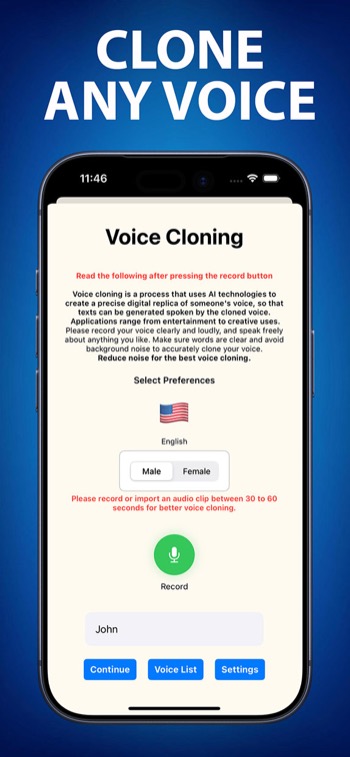
Free to download. Start cloning voices in under a minute on any platform.
Featured on Product Hunt

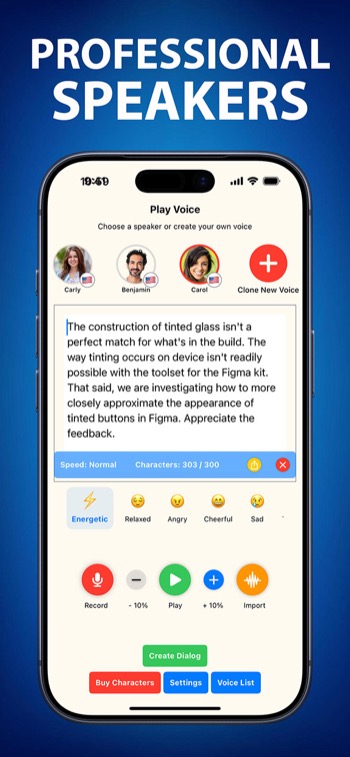
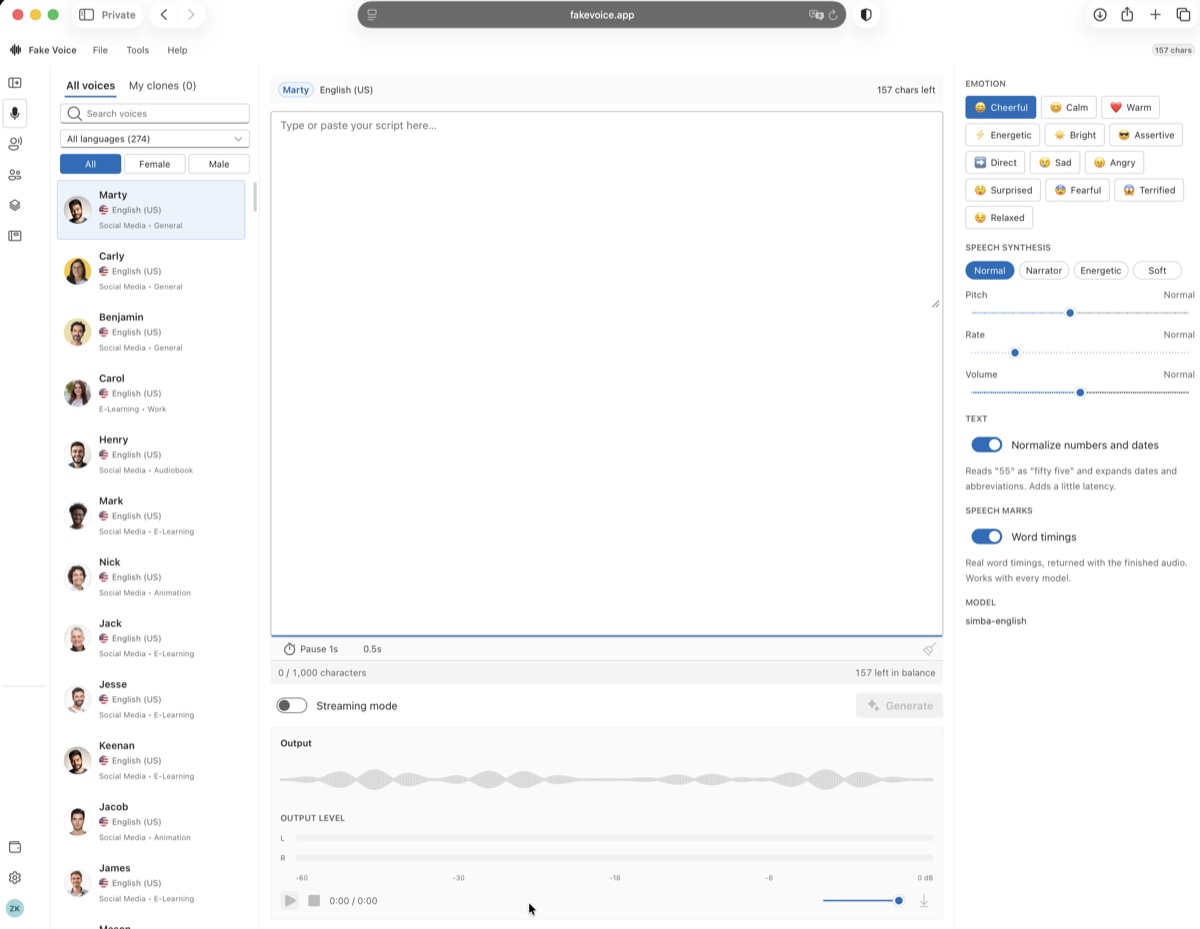
Pick a voice, choose an emotion, type your text — hear the result instantly.
Download the app to clone your own voice!
Powered by cloud AI. No subscription required to start.
Upload any 10-second clip. Our cloud AI engine extracts vocal fingerprints and builds a perfect replica — indistinguishable from the original.
Modify pitch, tone, gender, accent, and emotional style live. Ideal for gaming, streaming, live calls, and prank content.
Generate realistic AI voice audio and share it instantly on WhatsApp, Telegram, or any messaging app as a voice note or attachment.
Convert any text to hyper-realistic speech in 14 languages with full emotional tone control — calm, excited, whisper, and more.
Sync AI-generated voices to any video. Create multilingual dub tracks for YouTube, TikTok, Instagram Reels, or professional films.
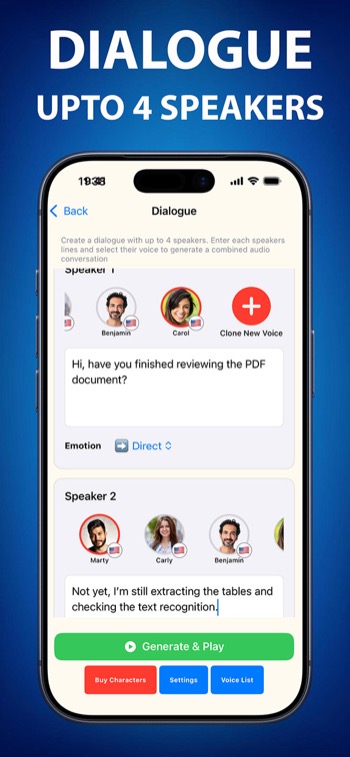
Generate conversations with up to 4 different AI voices simultaneously. Perfect for podcasts, audiobooks, and interactive content.
Powered by cloud AI for studio-quality results in seconds, fast enough to feel instant.
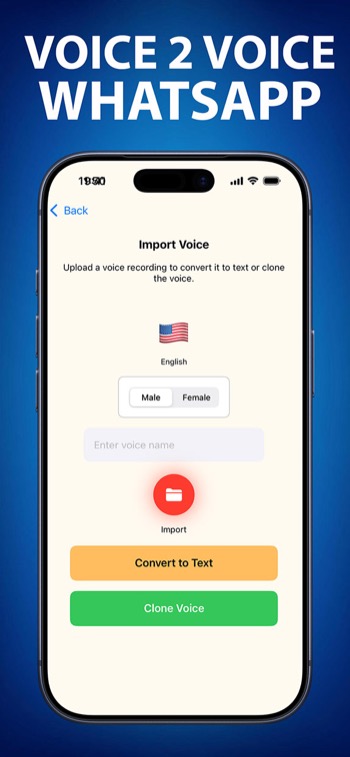
Drop in a voice clip, a WhatsApp audio note, or record directly in the app. Even 10 seconds of audio is enough for a full clone.
Our cloud AI engine processes the audio — extracting vocal tone, rhythm, and style in seconds.
Type any text, generate studio-quality audio with the cloned voice, then share it on WhatsApp, Instagram, TikTok, or save to files.
No download needed. The full Fake Voice cloud AI engine, in a powerful web interface — open it in Microsoft Edge.
Everything you need to know about Fake Voice.
Fake Voice is a cloud-powered AI voice cloning and voice changer app for iOS, Android, Windows, and the web. It uses a deep learning voice engine to clone voices, generate text-to-speech, change voices in real time, and create fake WhatsApp audio.
Audio you upload or record is sent securely to Fake Voice's cloud AI engine solely to generate your requested output. See our Privacy Policy for full details on data handling.
Open Fake Voice, type your text, choose a voice or clone your own, tap Generate. Download the audio and share it in WhatsApp as a voice message or document. Total time: under 30 seconds.
Both are cloud-based AI voice platforms. Fake Voice's key advantages: a real-time voice changer, direct WhatsApp integration, and support for Arabic dialects (Levantine, Gulf, Egyptian) that ElevenLabs doesn't offer — available on iOS, Android, Windows, and the web.
14 languages: Arabic (Levantine, Gulf, Egyptian, MSA), English (US & UK), French, Spanish, Portuguese, Turkish, German, Greek, Italian, Swedish, Russian, Chinese (Mandarin), Hindi, and Japanese.
Yes, free to download on iOS and Android with starter credits included. Pro plans from $4.99/month unlock additional voice cloning credits, higher audio quality (up to 320k), priority generation, and access to premium voices.
Join 100,000+ creators, entertainers, and content makers using Fake Voice worldwide.

 English
 العربية
 Français
 Русский
 Português
 Español
 Deutsch
 Türkçe
 Italiano
 हिन्दी
 日本語
日本語 中文
中文 Svenska
 Ελληνικά